


Qur’an widgets
for your phone.

See a Qur’an verse, a reflection question or the next prayer time on your Home Screen. Choose from Hikma’s widgets for iPhone and Android.

Download on the App StoreGet it on Google Play

The full widget collection is included with Ameen.

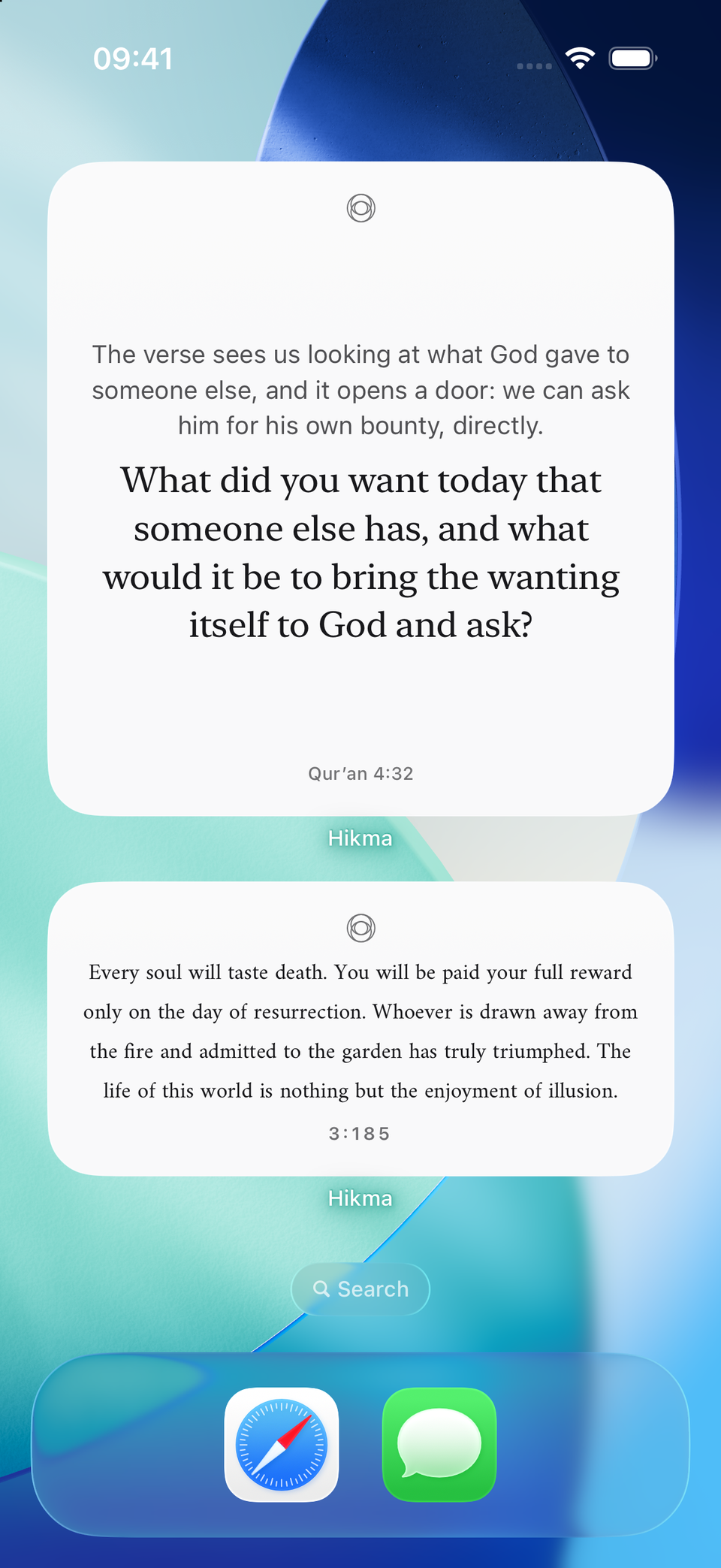
A complete iPhone Home Screen with Hikma Daily Wisdom and Daily Reflection widgets
Daily Wisdom and Daily Reflection · iPhone

A verse, a question
or the next prayer.

Each widget gives you a quick way back to a verse, a question to sit with, or the next prayer. Add the types that suit your routine and arrange them on your Home Screen.

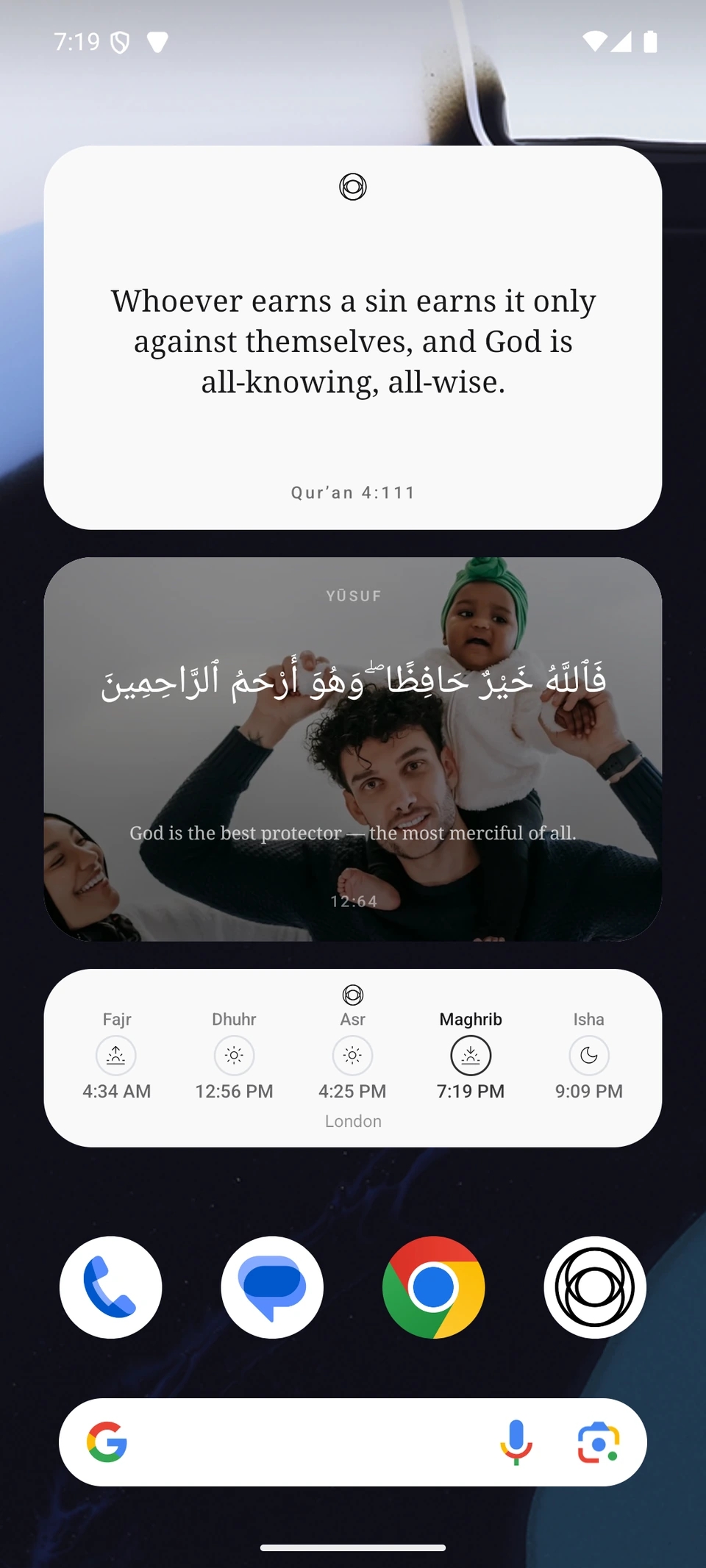
Daily Wisdom
A verse for the day, ready when you glance at your phone.
Daily Reflection
A short question to carry with the day’s reading.
Prayer Times
See the next prayer and the day’s schedule.
Refuge
Keep a protective verse in view, with a photo background option.
Qibla
See the direction of prayer from your location.

Add a widget
from your phone.

On iPhone

  1. Touch and hold an open area of the Home Screen until the apps move.
  2. Tap Edit, then Add Widget, and search for Hikma.
  3. Choose a widget and size, tap Add Widget, then place it where you like.

For the Lock Screen, touch and hold it, choose Customize, then select a widget area.

On Android

  1. Touch and hold an open area of the Home Screen.
  2. Open Widgets, find Hikma, then touch and hold the widget you want.
  3. Drag it onto the Home Screen and release it in place.

Launcher names and available sizes can vary by Android phone.

Prayer Times and the Qibla widget use your location. Allow location access in Hikma and choose your prayer calculation settings to see local information.

Questions about widgets

How do I add a Hikma widget?

Open your phone’s Home Screen widget picker, choose Hikma, select a widget and size, then add it to the Home Screen. On iPhone, some widgets can also be added from the Lock Screen’s edit controls.

Which Hikma widgets are available?

Daily Wisdom, Daily Reflection, Prayer Times, Refuge and Qibla are available on iPhone and Android.

Why is my Prayer Times or Qibla widget blank?

Allow Hikma to use your location and check that location services are available on your phone. Prayer Times also uses the calculation settings selected in Hikma.

Keep a verse close.

Download Hikma for iPhone or Android. Choose the widgets that fit your day.

Scan with your phone to open Hikma on the App Store or Google Play
Point your phone’s camera here to get Hikma.
Send via WhatsApp
Download on the App StoreGet it on Google Play
Use Hikma in your browser